Help page about the qrpng tool
This tool makes QR codes from your input. (This tool was previously on its own domain, qrpng.org, but that turned out to be a nuisance for various reasons so I've moved it to this web site, LeMoDa.net.)QR codes
What is a QR code?
A QR code is a kind of barcode, similar to those used at shops. The QR code contains more information than the striped barcodes.
What is the size of margin?
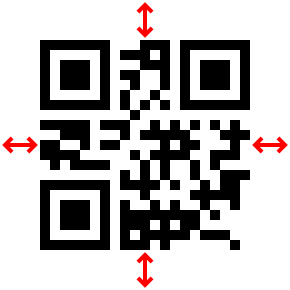
The size of margin refers to the white boundary around the QR code. This is called the "quiet zone". The quiet zone needs to be at least four times as wide as the individual squares (the module size) for QR code readers to work well.
This tool allows you to set the quiet zone to sizes lower than four modules, in case you have already provided a white background on your tool.
The default size of the quiet zone is four modules.
What is "Content"?
The "Content" box controls what data is put within the QR code. This is what is read back out when you point a reader, such as a phone, at the code.
What is the "Version"?
The "Version" of a QR code is the size of the barcode. The smallest size is version 1. The largest size is version 40.
Version one QR codes can only contain a small amount of information. Version forty QR codes can contain more information. If you don't specify a version, this tool computes the version based on what you put in the "Content" box.
If you set the value of the version to a value which is too small to contain your content, this tool ignores your version value and computes the version itself as described above.
What is the "Level"?
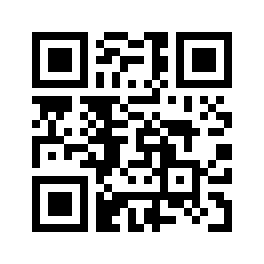
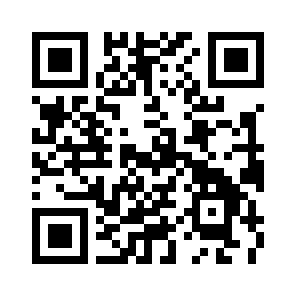
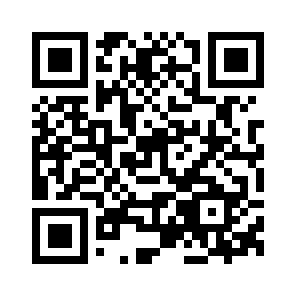
The level of a QR code is the amount of protection against errors it contains. QR codes can correct some errors when they are read. The levels of error correction are L (low), M (medium), Q (quartile), and H (high), which correspond to ability to correct 7%, 15%, 25% and 30% of errors. The default level used here is M (medium).
 |
 |
 |
 |
| L | M | Q | H |
|---|
What is "Pixels per module"?
A module means one of the small black or white squares on the QR code. You can choose how many pixels on the image each module occupies. The more pixels per module, the larger the image.
The QR code is a PNG file
The QR codes on this tool are PNG files with two colours, hence the name "QRPNG". These two-colour PNG files are much smaller than those supplied on other tools.
Other websites for QR codes
Other QR code generators
There are a lot of websites offering to make QR codes for you, some of them are ridiculous, asking you to pay if you want to make a QR code which points to YouTube or some other such nonsense. Here are a few which are not too obnoxious:
- The Duckduckgo internet search service offers a QR code generator. Type "QR code" plus whatever you want to make a QR code of, and it generates one in its search results.
- goQR.me is a free-to-use site. It changes the QR code as you type.
Doing it the hard way
If you want to generate QR codes "the hard way", here are some software options.
- Image::PNG::QRCode is a module for the Perl programming language for making QR codes. The software underlying this module is more or less the same as qrpng.org.
- Google Charts has a QR code generator. Unfortunately, as with most Google products, the interface and documentation is baffling and ever-changing. On the bright side it doesn't have nag pages or advertising.
More information on QR codes
- QRcode.com - answers to your questions about the QR code. Unfortunately the English pages of this web site seems to have been made by non-native speakers of English.
- Y. Swetake's explanation of QR codes. The English is not quite right but at least it is to the point.